

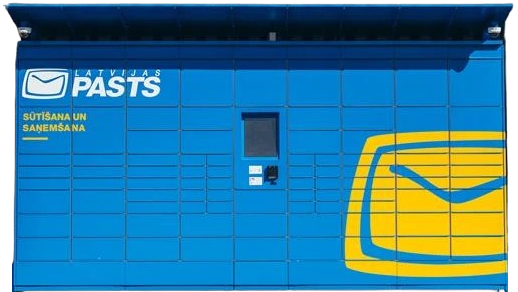
How to send a parcel via Latvijas Pasts parcel locker?
A simple and clear step-by-step guide for convenient shipping via Latvijas Pasts self-service terminals with Couriers for Less.
Register your parcel online
Fill in your shipping details in the Couriers for Less system. If you are unable to print the label at home, be sure to select during ordering:
Pack your parcel
Pack your item securely in a sturdy package. If you chose to print the label at the parcel locker, no additional documents need to be attached to the package – you will do this at the terminal.
Go to the Latvijas Pasts parcel locker
On the terminal screen, select the "Send parcel" function, and then press "Prepared parcel".
Print the label
Enter the parcel number or PIN code you received. The parcel locker will automatically print the label. Important: stick it firmly onto the top of the package.
Place the parcel in the compartment
Scan the label you just attached. Once the locker door opens, place the parcel inside and close it. Confirm on the screen that the parcel has been placed inside.
Useful information about Latvijas Pasts services
The Latvijas Pasts parcel locker network operates 24/7 and covers all of Latvia – both major cities and regions. Integrated label printers allow you to conveniently send parcels without having to print labels at home beforehand. When using the Couriers for Less platform, Latvijas Pasts parcels reach recipients quickly and safely at particularly favorable prices.