

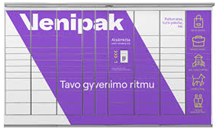
How to pick up a parcel from a Venipak parcel locker?
A simple and clear step-by-step guide for convenient parcel pickup through Venipak self-service terminals with Couriers for Less.
Receive the notification
Once your parcel is delivered to the parcel locker, Venipak will send you an SMS message with a pickup PIN code and QR code.
Contactless pickup
Venipak terminals support an ultra-fast contactless method. Open the link in the SMS message and hold the QR code up to the locker scanner.
Or enter the code
If you are not using the QR code, select the "Pick up parcel" function on the terminal screen and enter the received PIN code.
Take your parcel
The door will open automatically. Take your parcel and make sure to close the door until you hear a locking sound.
Good to know about Venipak parcels
Venipak stores parcels in the terminal for 3 calendar days. This is one of the most modern networks, allowing you to pick up your parcel in just a few seconds. Using the Couriers for Less platform, you will always get the best price and convenient parcel management in one place.